
trackers & tracers. For Windows and Android.
SceneMax for Android
Create custom video highlight experiences without editing.
Watch the Best Parts of Your Videos
Most home videos contain a few memorable moments surrounded by long sections that you rarely want to watch again. SceneMax allows you to create personalised highlight sequences from your videos without editing, rendering or producing a new video file.
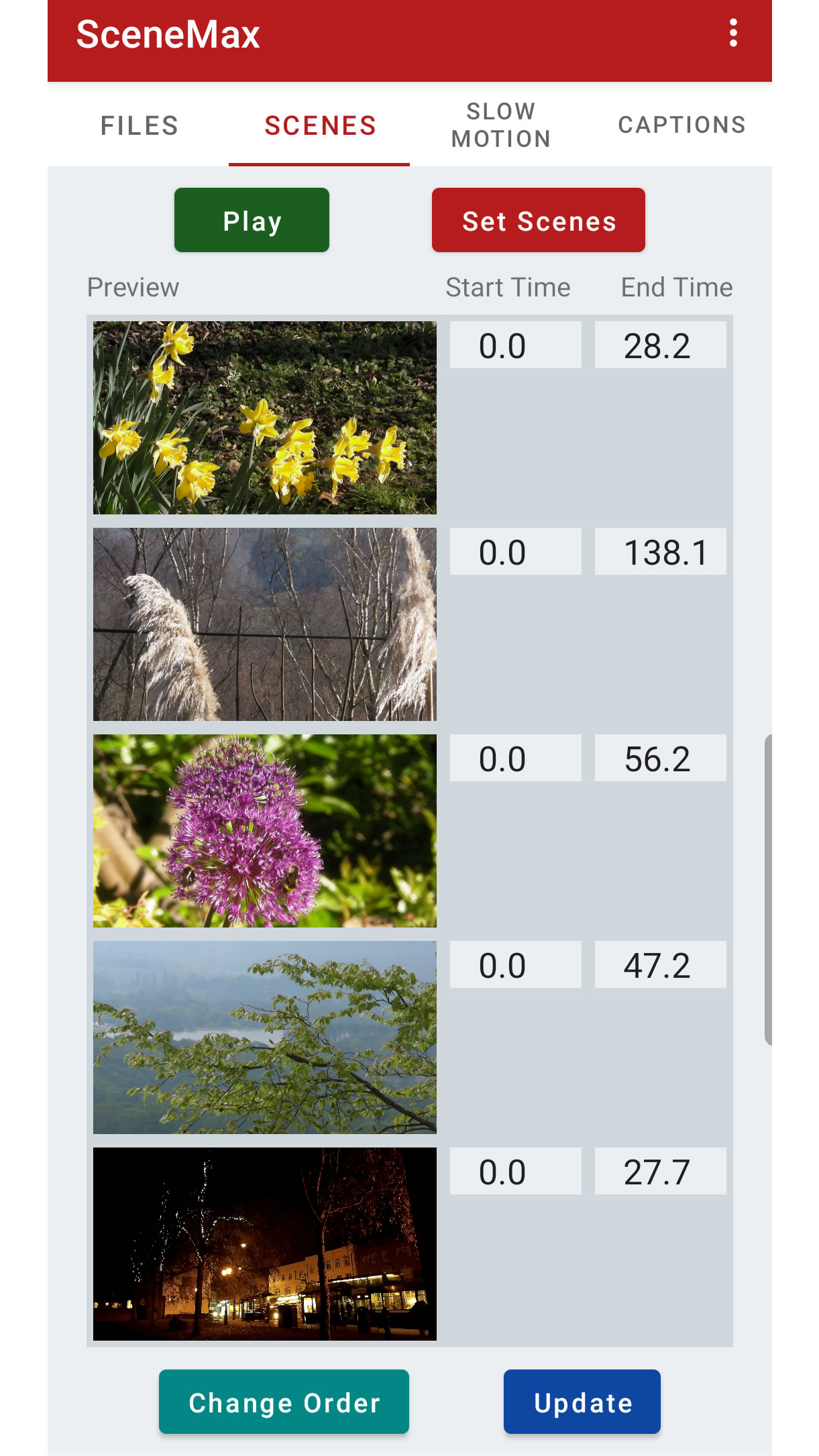
Simply select the sections you want to keep, arrange them into a custom viewing sequence and play them back as one continuous experience.
The original video files remain unchanged and no video editing expertise is required.
Why Use SceneMax?
- No video editing knowledge required.
- No lengthy rendering or export process.
- Create highlight sequences in minutes.
- Keep your original videos untouched.
- Perfect for holidays, family events and sports footage.
- Save and reload your sequences at any time.
- Supports captions and subtitles.
- Includes slow motion support.
Create Personalised Highlight Reels
Import videos from your device or from a connected camcorder and simply watch through the footage.
When something interesting happens, press the Include button. When the moment ends, press Stop. SceneMax records the section as part of your viewing sequence.
Once you've selected the highlights from each clip you can save the sequence and play it back whenever you wish.
Add Titles, Descriptions and Captions
SceneMax supports captions (subtitles) to help explain your videos.
Add an overall title and description to your sequence, then create individual captions for each scene. Captions appear during playback and help viewers understand the story behind the footage.
This is ideal for family holidays, special events, outdoor adventures and travel videos.
Slow Motion Support
SceneMax includes slow motion support for action cameras and sports footage.
Fine tune exactly where slow motion begins and ends, then adjust the playback speed to focus on the most exciting moments.
Whether you are reviewing skiing, snowboarding, cycling, sailing or other outdoor activities, SceneMax helps bring key moments to life.
Screenshot Gallery
Tap the app's main screen below view the screenshot gallery.
Ideal For
- Family videos.
- Holiday memories.
- Travel videos.
- Sports and action camera footage.
- Ski and snowboard trips.
- Outdoor adventures.
- Camcorder recordings.
- Quick highlight compilations.
Works with Videos from Multiple Sources
Import videos stored on your Android device or access footage from compatible external cameras connected via USB.
SceneMax is designed to help you organise and enjoy your existing videos rather than replacing them with newly edited copies.
Privacy Focused
SceneMax operates entirely on your device.
We do not collect your personal information and the app does not transmit your videos or sequence data to our servers.
Your videos remain under your control at all times.
Worldwide Language Support
SceneMax supports thirty-three languages, making it accessible to users around the world.
Download SceneMax
SceneMax is available free of charge on Google Play and Samsung Galaxy Store.
System Requirements
- Android smartphone or tablet.
- Android 5.0 or later.
- Video files stored on your device or connected camera.
Site Map

Sun Byte Software is operated and owned by Smith & Young Sales Limited.
Registered in the United Kingdom, Company No. 02965587.
Registered Office: The White House, Toys Hill, Westerham, Kent, TN16 1QG.